
Our Articles


Blog

Published on April 21, 2025
Owning a Samsung dishwasher usually means quiet operation and sleek design—until the beeping starts. Unlike older mechanical units, modern Samsung dishwashers are strictly electronic. When something goes wrong, they don't just stop; they flash lights and display cryptic codes like "LC," "HE," or "4C."
At Fair Appliance Repair Service, we service hundreds of Samsung units across Sacramento, Roseville, and Elk Grove every year. We know that while these machines are high-tech, the problems are often caused by simple sensor errors, drainage clogs, or Sacramento's notoriously hard water impacting the valves.
This guide serves as your central hub for Samsung dishwasher troubleshooting. We will help you decode the blinking lights, run professional-grade diagnostics, and decide when a DIY fix is safe or when it’s time to call a pro.
Before guessing which part is broken, ask the machine. Most models have a built-in "Diagnostic Mode" (or Service Mode) that checks every sensor and motor.
Standard Diagnostic Sequence:
1. Turn the dishwasher on.
2. Press and hold the Delay Start and Auto (or Heavy) buttons simultaneously for 5–7 seconds.
3. The screen will light up, and the unit will begin a self-check.
4. If a specific component fails, a code will appear on the display (e.g., "3E" for motor error).
Why this matters: Running this mode helps you isolate whether you have a control board troubleshooting issue or a simple mechanical failure.
When your machine stops working, it tries to tell you why.
On models without a digital display, the machine uses blinking LED lights to communicate errors.
● Heavy Light Blinking: This generally indicates a leak. The moisture sensor in the base pan detects water.
● Normal Light Blinking: Often points to a thermistor (temperature sensor) error. The machine thinks the water is too hot or too cold.
● Delicate Light Blinking: Usually signifies a drain error—the unit tried to drain but couldn't empty the tub.
● Smart Auto Blink: Often a communication error between the main board and the display panel.
We recommend booking a professional Dishwasher Repair Service to replace the board safely, as static electricity can ruin the new part during installation.
If you have a digital display, you will see specific letters.
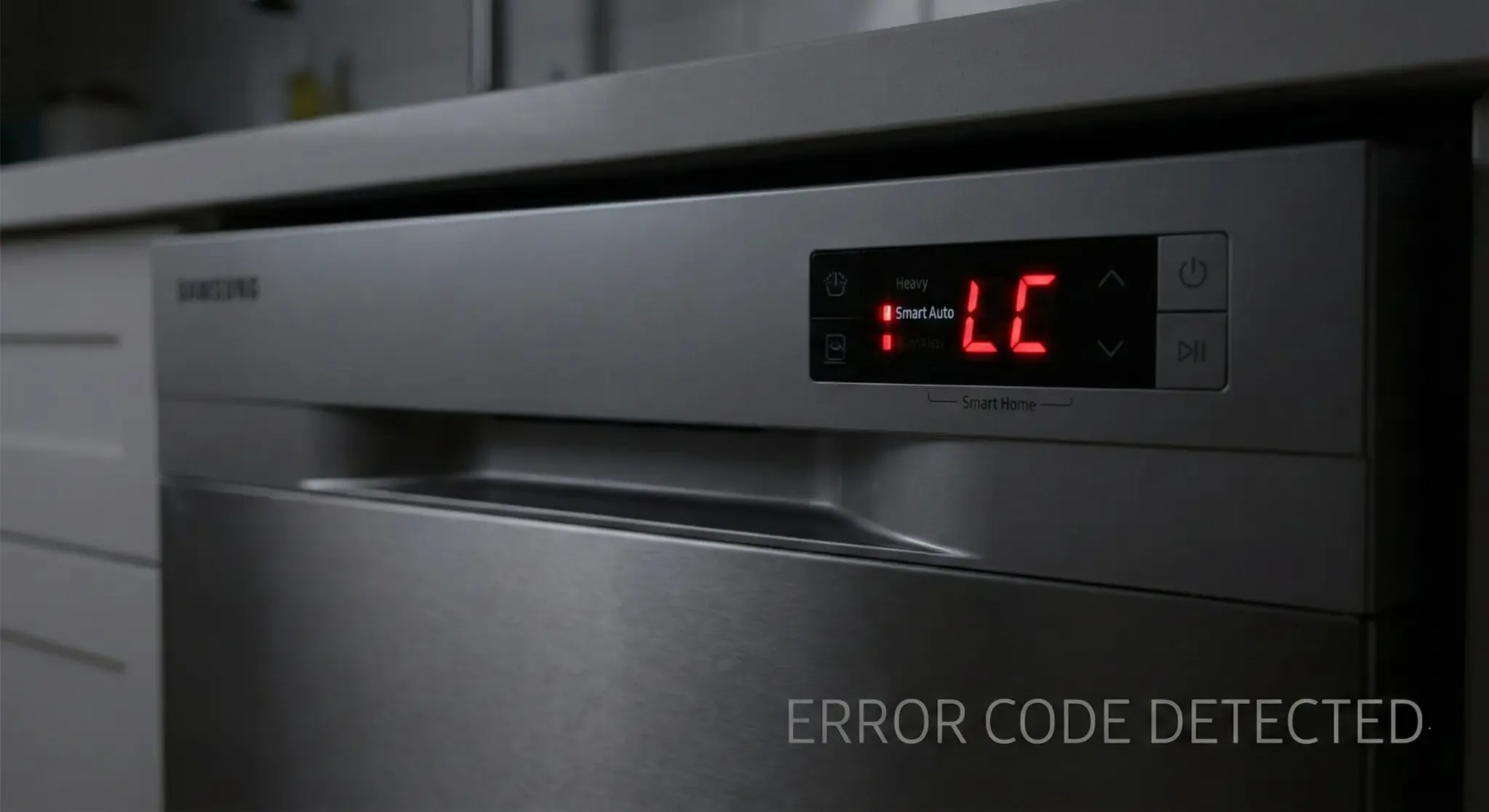
● LC Code / LE Code: Standing for "Leak Check." The sensor in the bottom pan is wet. Fix: Dry the pan and check for hose leaks.
● 9E Code / 4E Code: Water supply error. The machine is not filling up fast enough (often a kinked hose or closed valve).
● HE Code: Heater Error. The water isn't reaching the target temperature (bad heating element or relay).
Sometimes there are no codes—just a machine that won't work.
● If you open the door to find standing water:
● Check the Filter: Samsung filters are prone to clogging with food particles.
● Force Drain Cycle: To attempt a force drain cycle, turn the unit on, hold the Cancel/Drain button (usually by holding "Start" for 3 seconds), and close the door.
● Drain Hose: Ensure the hose has a "high loop" under your sink to prevent backflow.
Still blocked? You may have a failed drain pump.
● Won't Start: If the panel lights up but the cycle won't start, check the door latch. If the latch doesn't click, the computer won't engage the water valve.
● No Power: If the display is dead, check your home’s circuit breaker. If the breaker is fine, the thermal fuse on the control board may have blown.
Need a Pro? If you are stuck with a machine that won't start or drain, don't risk a flood. Contact Fair Appliance Repair Service for fast, local help.
Different Samsung series have unique quirks.
● Keywords: Stormwash troubleshooting, dw80k5050us troubleshooting
● The Issue: The "StormWash" wheel (the red disk) often gets clogged with hard water deposits or broken glass, causing a grinding noise or poor cleaning.
● Common Issue: The "StormWash" nozzle often gets clogged with hard water deposits. If your heavy pans aren't getting clean, remove the red cover and soak the nozzle in vinegar.
● Noise Issue: If you hear a grinding noise, it is often the "hard food disposer" blade area. StormWash models are sensitive to broken glass falling into the sump.
● Keywords: Waterwall troubleshooting, Chef Collection troubleshooting
● The Issue: These models use a sliding spray bar instead of a spinning arm. If the motor that drives this bar fails, the magnets desynchronize, and the machine stops mid-cycle with a "7E" error (Reflector error).
● Common Issue: The "7E" Error. This indicates the reflector cannot move. It is often caused by the magnets desynchronizing or the motor failing.
● The Fix: Check the track for debris (forks, plastic lids) that might be blocking the slider. If the track is clear, the vane motor usually needs replacement.
● Keywords: dw80f600uts, dw80r2031us, dw80j3020us
● The Issue: These standard tub models frequently suffer from the "LC" leak sensor error due to condensation building up near the sensor, even if there is no real leak.
● Common Issue: The "False Leak." These models frequently suffer from the "LC" leak sensor error due to condensation building up near the sensor, even if there is no real leak.
● The Fix: If you are handy, you can pull the unit out, tip it forward at a 45-degree angle (have a towel ready!) to drain the excess water, and let it dry for 24 hours.
Prevention is cheaper than repair. Because Samsung dishwashers rely so heavily on sensors, keeping the interior clean is critical to stopping error codes.
1. The Monthly Vinegar Flush To prevent the "4C" and draining issues, place a bowl of white vinegar on the top rack and run a "Sanitize" cycle on an empty load once a month. This dissolves the calcium that clogs the sensors.
2. Clean the Moisture Sensor If you get frequent "LC" codes, moisture might be getting under the unit. Ensure your kickplate is dry and that you aren't spilling water when filling the sink.
3. Use High-Quality Pods Cheap detergents create excess suds. In a Samsung, excess suds can overflow into the base pan, tripping the leak sensor. Use high-quality pods like Finish Quantum or Cascade Platinum.
The most common issue is the "LC" or "LE" error code, which indicates a leak. Samsung sensors are extremely sensitive; sometimes, even high humidity or a slight overflow from using too much detergent can trigger this code, locking the machine into a continuous drain cycle.
To perform a hard reset, go to your home's electrical panel and flip the circuit breaker for the dishwasher to OFF. Wait for at least 5 minutes to let the electrical capacitors discharge, then flip it back ON. This often clears "glitch" codes like communication errors.
Blinking lights accompanied by beeping is an immediate distress signal. If the Heavy light is blinking, the leak sensor is active. If the Auto and Glass lights flash together, it is usually a button jam or a main control board failure.
Enter diagnostic mode by turning the power on and pressing Delay Start + Auto (or sometimes Heavy + Express) simultaneously for 5 to 7 seconds. The machine will light up all LEDs and begin testing the water valve, drain pump, and circulation motor in sequence.


